Distribution and warehousing
What is in stock, what is reserved, what ships today. Most of these businesses hold all three in a spreadsheet several people edit at once.
Order 4821
To pick · leaves at 3 pm
- Lines
- 4
- Picked
- 2
- Units
- 44
- Pallet stretch film× 6A-12
- Cardboard boxes 40 x 40× 24B-03
- Adhesive labels× 10C-07
- Treated wood pallets× 4D-01
For a distribution business, we build the tool that holds stock, reservations and shipments in one place. Every case received, reserved or picked is recorded the moment it moves, by the person handling it. The office, the dock and the road see the same numbers, on a computer, a tablet or a phone.
A spreadsheet everyone edits at once
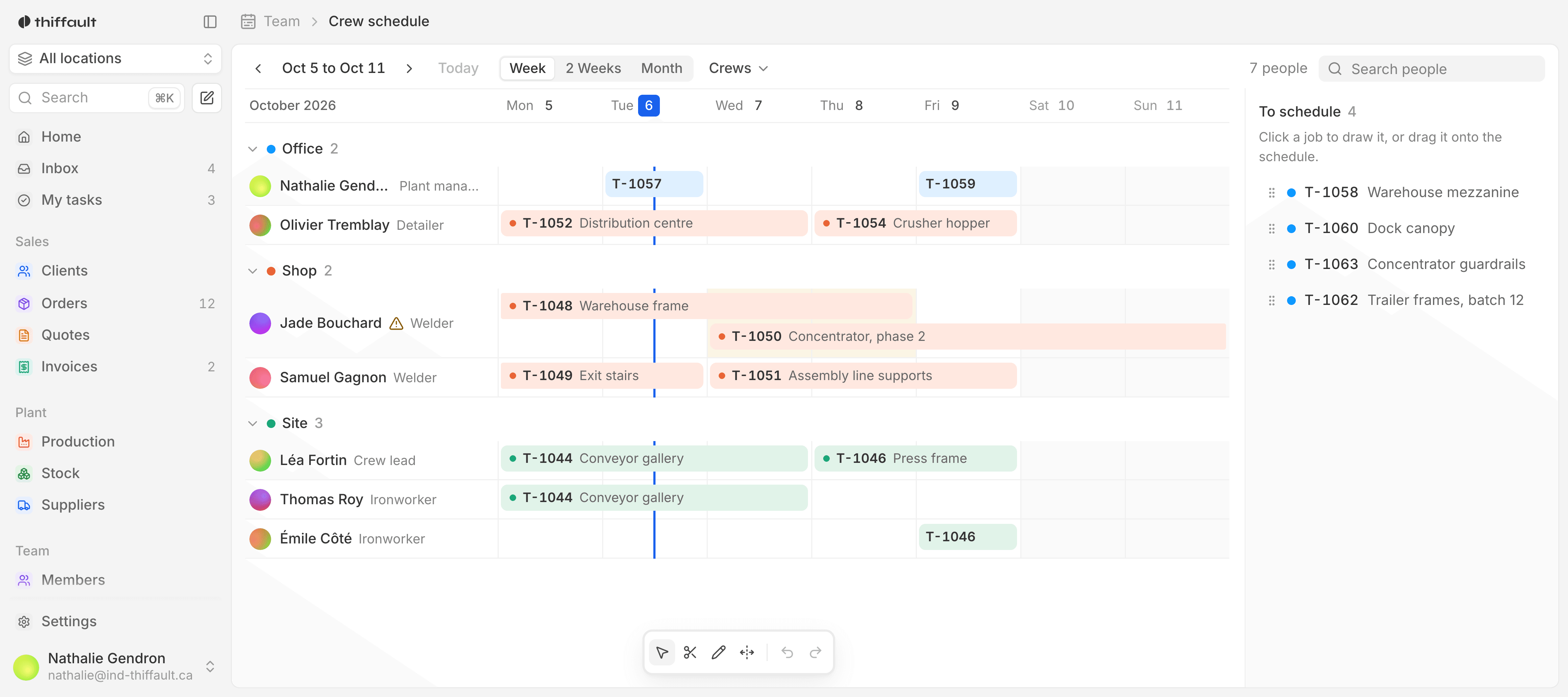
In most warehouses, stock lives in a shared spreadsheet, orders arrive by email and delivery notes are retyped by hand. Everyone fixes their own column at their own pace, and nobody knows which version is right. The day two salespeople promise the same pallet, you find out at the dock.
- Two salespeople promise the same pallet
- The spreadsheet says 40, the shelf holds 12
- A delivery sits at the dock, not yet entered
- Delivery notes retyped from an email

What the tool does
01
Live inventory
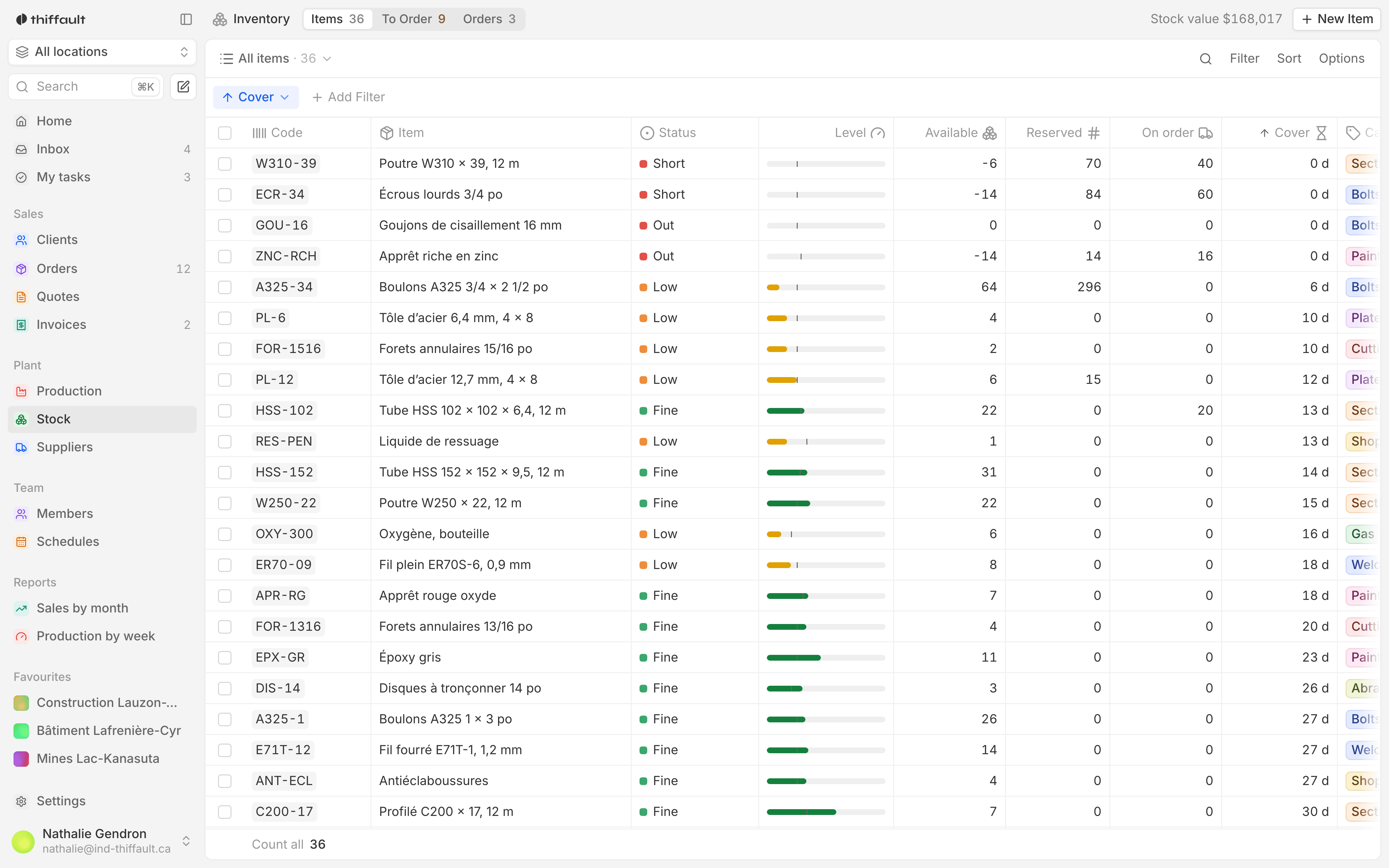
Every receipt, shipment, reservation and transfer updates stock the moment it happens. You see the quantity available, the quantity reserved and where each item sits.
02
Reservations by order
When an order is confirmed, the goods are reserved for it and taken out of what is available. A salesperson can no longer promise what is already set aside for another customer.
03
Receiving, line by line
At the dock, you open the purchase order on a tablet and check off what arrived, line by line. Discrepancies and shortages stay visible until they are sorted out.
04
Order picking
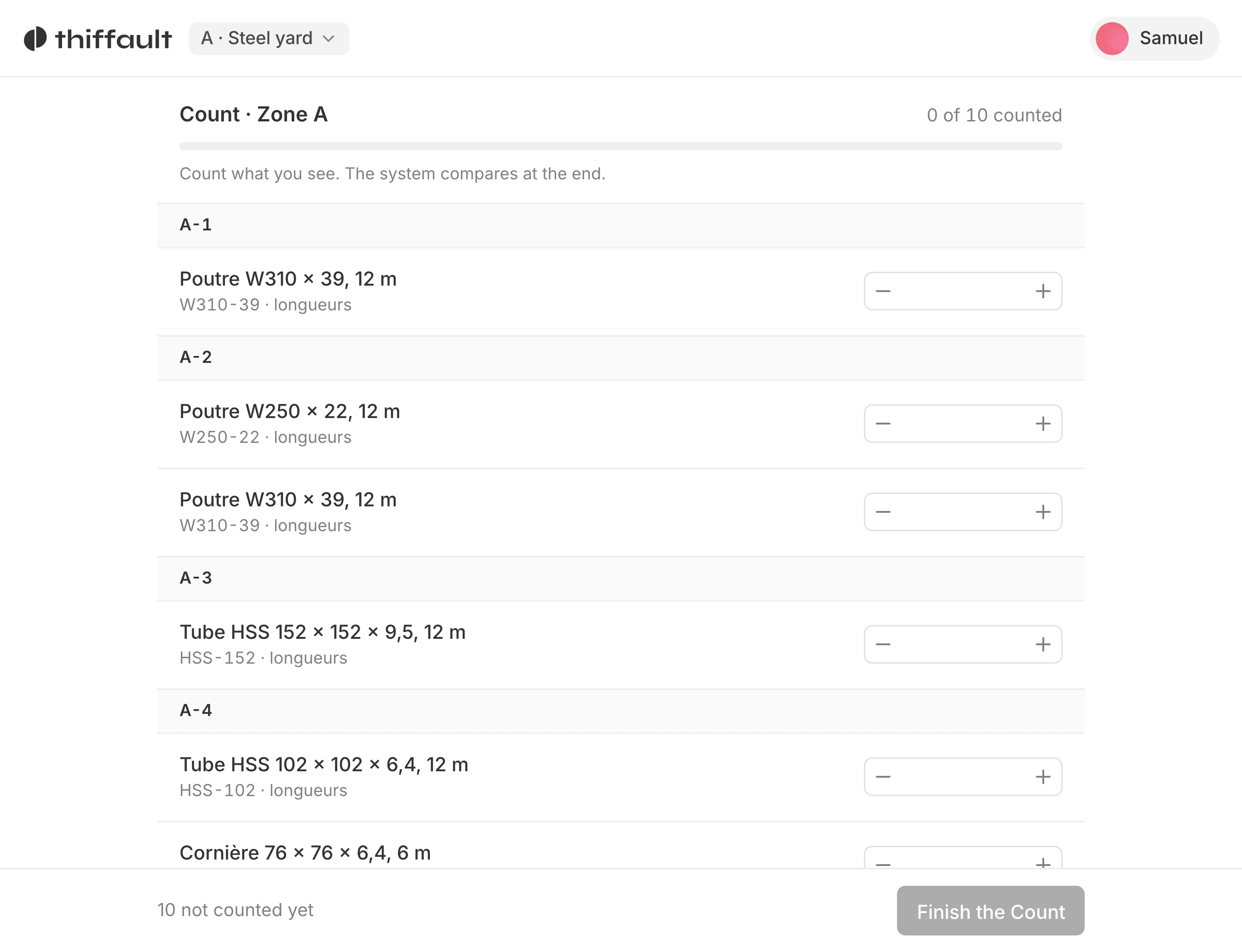
The day's orders become pick lists sorted by aisle and location. The picker confirms each line on a phone, and the office sees where the order stands.
05
Delivery notes
The delivery note comes straight from the picked order, with the quantities actually shipped. No retyping, and no fixing the invoice after the fact.
06
Reorder alerts
An item that drops below its reorder point shows up in the list of what to reorder, with its usual supplier. The buyer sees it before the stockout, not after.
The dock, before and after
A cleaning supplies distributor starts the day by printing the spreadsheet to see what ships.
Before
At noon, a rush order comes in by email, and the salesperson promises cases the dock has just picked for another customer.
With the tool
The rush order checks what is available before it is confirmed, and the salesperson sees right away what can be promised. The picker gets the list on a phone, confirms each line, and the delivery note is ready when the truck backs up to the dock. At the end of the day, the office knows exactly what went out and what is left.
Included on every project
- A fixed price, paid once
- The source code is yours
- French from the first version
- Training for your teams
Frequently asked questions
We already have an inventory spreadsheet. What happens to it?
We bring it over during the build: items, quantities, locations and suppliers are imported into the tool. Your teams start with their own data, not an empty database.
Can it be used out on the warehouse floor?
Yes. The tool is a web app that works on a computer, a tablet or a phone, so at the dock and in the aisles as well as at the office. We test the screens with the people who will use them every day, not only with management.
Where does our inventory data live?
In your database, on your server. You also receive a complete copy of the source code, and any developer can take over the project.