Inventory
Stock, movements, alerts. One picture of where things stand, kept current as you work.

Items below reorder point
Main warehouse
- Items
- 1,248
- Below point
- 14
- Out of stock
- 3
- Galvanized steel sheetOut0 / 12 sheets
- Food trayLow9 / 13 cases
- Black ink cartridgeLow7 / 17 units
An inventory tool built around the way you already work: every item, its quantity, its unit and its reorder point. Every receipt and every withdrawal is recorded when it happens, by the person doing it. Everyone looks at the same stock count, in the office and on the warehouse floor.
A spreadsheet that is never current
In most small businesses, stock lives in a spreadsheet several people edit, whenever they remember to. Withdrawals get jotted on a scrap of paper or not at all, and the real count is in the head of whoever knows the warehouse. The day that person is off, nobody knows what is left.
- You find out about a stockout when a customer calls
- Two versions of the same spreadsheet go around by email
- The physical count never matches the file
- Someone has to walk to the shelf to check
What the tool does
01
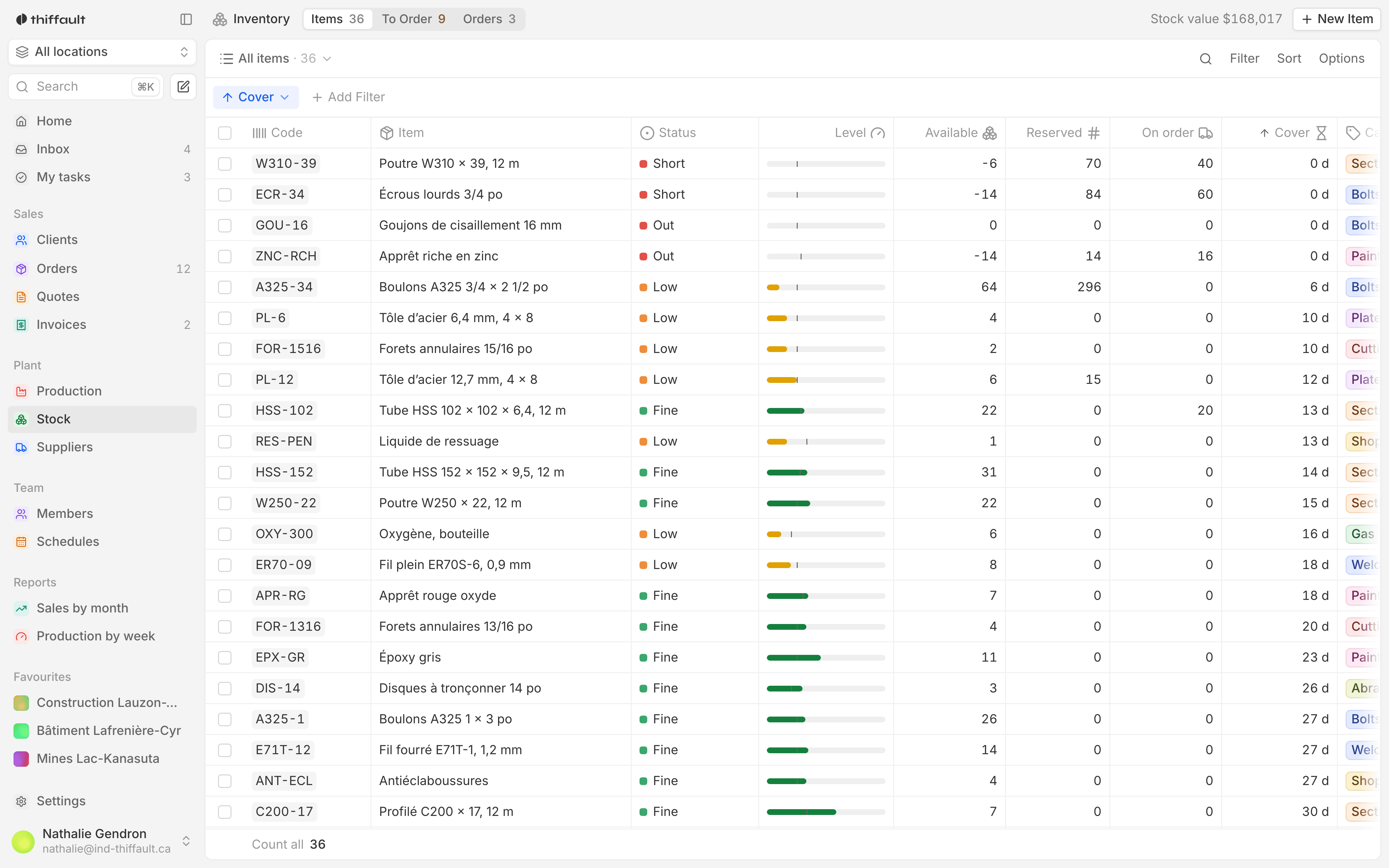
One record per item
Each item has its quantity, its unit and its reorder point. Its status shows right in the list: in stock, low stock or out of stock.
02
Movements, through the day
Every receipt and withdrawal is logged with its date, its quantity and who made it. The movement list runs newest first.
03
An alert below the threshold
When an item drops below its reorder point, an alert shows up for the people who need to know. You see it before the stockout, not after.
04
Several locations
Stock can be tracked by location: warehouse, store, truck or branch. You know how much of each item is left, and where.
05
Each item's history
For any item, you can pull up every past movement. When a count does not add up, you can see who took what out, and when.
06
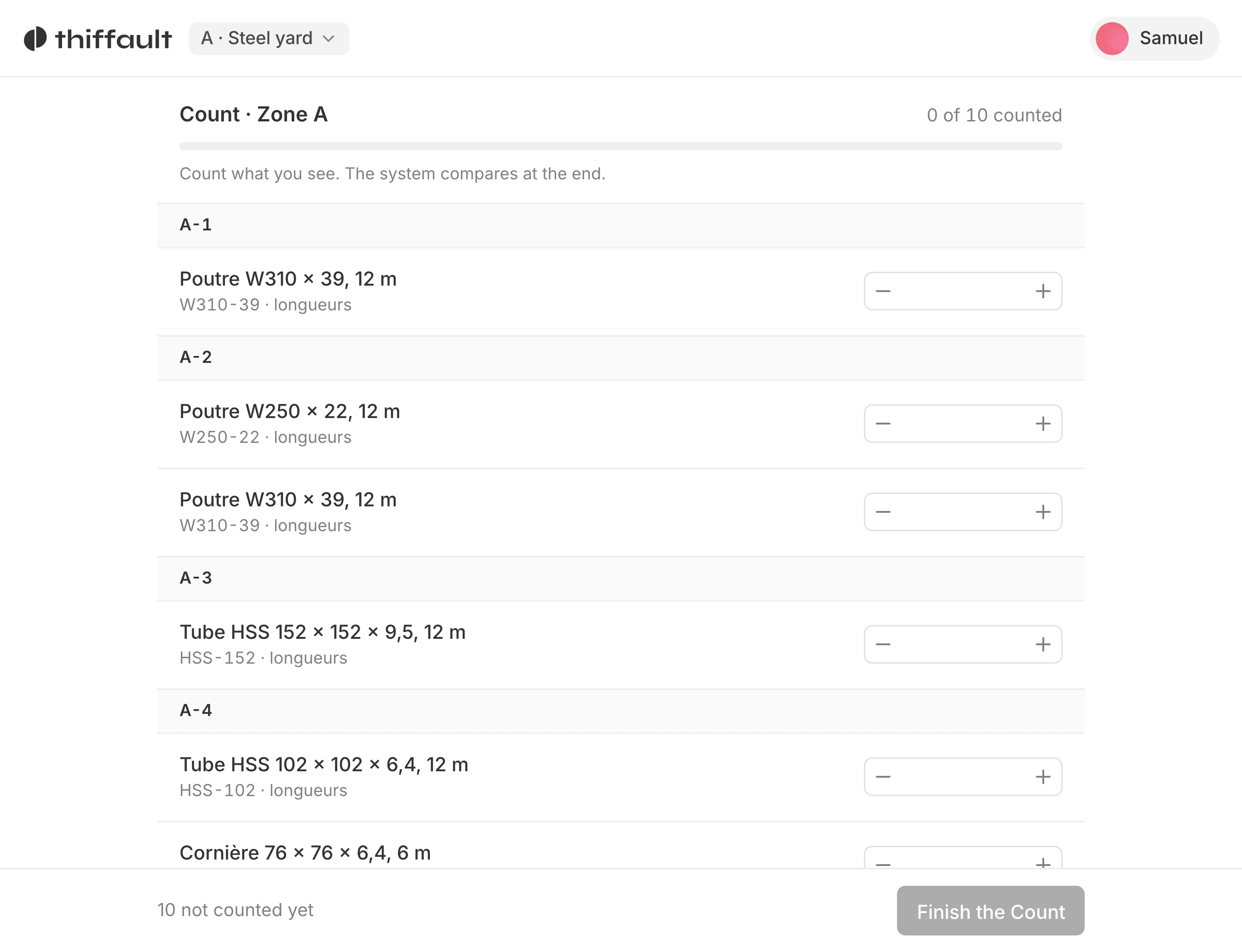
On tablet and phone
The tool runs on computer, tablet and phone. Whoever is in the warehouse logs a withdrawal right where the goods are, without walking back to the office.

Monday morning at a distributor
A supplies distributor on the South Shore is getting Monday's orders ready.
Before
The clerk opened Friday's spreadsheet with no idea whether Saturday's withdrawals had been entered, and went to count the shelves before confirming anything to a customer.
With the tool
Every Saturday withdrawal was logged on the tablet as it happened. The clerk sees the real quantity, and two items that fell below their reorder point are already flagged as low stock. The orders get confirmed from the desk, and the list of items to reorder goes straight to purchasing.
Included on every project
- A fixed price, paid once
- The source code is yours
- French from the first version
- Training for your teams
Frequently asked questions
Our items are already in a spreadsheet. Do we have to re-enter everything?
No. We bring over your existing spreadsheets during the build: items, units, quantities and reorder points. You start with your own data already in place.
Can it track more than one warehouse or branch?
Yes, if that is how you operate. The tool is built around your locations: each item can have a quantity per location, and moving stock from one to another is recorded as a movement.
We count different items in different ways. Is that a problem?
No. Each item has its own unit: by the piece, the box, the kilo or the metre. We work out together, at the mockup stage, how your teams actually count.